Taking Earthsiege apart
Metaltech: Earthsiege is Dynamix’s 1994 combat simulation, set in a war between humans and the machine-controlled Cybrids. You pilot a HERC, a walking war machine with replaceable weapons and limbs that can be shot off. Bring back enough salvage and you can repair your squad or put together a better machine for the next sortie.
That gives you good reasons to aim carefully. Destroying an enemy’s legs can leave more useful equipment to recover; losing one of your own arms takes its weapons out of the fight. Reconstructing the game involves following those consequences through combat, the debrief and the hangar, as well as drawing the machines themselves.
We began with the VOL archives, cataloguing 2,484 members: models, textures, palettes, fonts, cockpit artwork, speech, music and mission resources. The viewers on this site let you explore some of those finds. The research notes go into the file formats and code in more detail.
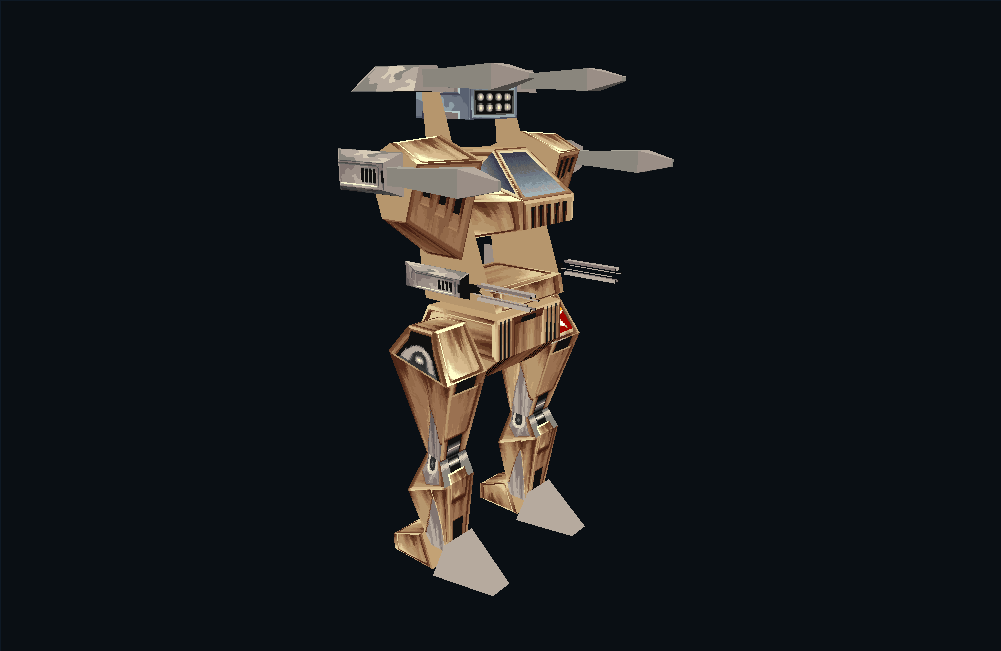
Opening the hangar
A model file holds a hierarchy of parts, their movements and alternative shapes. Across 44 files we found 401 top-level shapes. For a HERC, these alternatives are usually simpler versions drawn at a distance. A scenery file can hold a whole assortment of buildings or landforms.
The filenames sometimes use different names from the ones in the game. HERCULES is the Samson, GUNSLING is the Outlaw, and PANTHER is the Rhino in the shipped name tables. The enemy SCORPION became the Stingray. We use the names you encounter in the game alongside the filenames in the gallery.
Weapons attach to mounting points on the chassis. Drawing the body alone left odd placeholder shapes where the equipment should have been, so we followed the game’s equipment tables to assemble complete machines. In the viewer you can change their weapons, examine a bare chassis, or inspect damage captured after a hit.
Walking animations move the body as well as the legs. An early version of the viewer kept fitting the camera to each new pose, making the machine seem to zoom in and out as it walked. A fixed camera lets you see that body movement properly. The animation timing, blending and torso aiming now use the game’s fixed-point calculations.
A world built at launch
Our first mission view had almost no buildings. We had found the hills in the terrain placement files, but factories and listening posts are created separately, with their own positions, model variants, allegiance and damage state.
The mission files also contain choices. When you launch a mission, the game resolves conditions and random alternatives, checks campaign progress, selects terrain and generates equipment. It then writes the files that the simulator loads. Simply drawing everything in the source file can put mutually exclusive objects together, or miss something added during launch.
The atlas uses these completed launch files. Each campaign example starts with a fresh chapter history and the starting hangar; your own saved campaign may produce a different force. Try switching between the two random variations to see which parts of a mission can change.
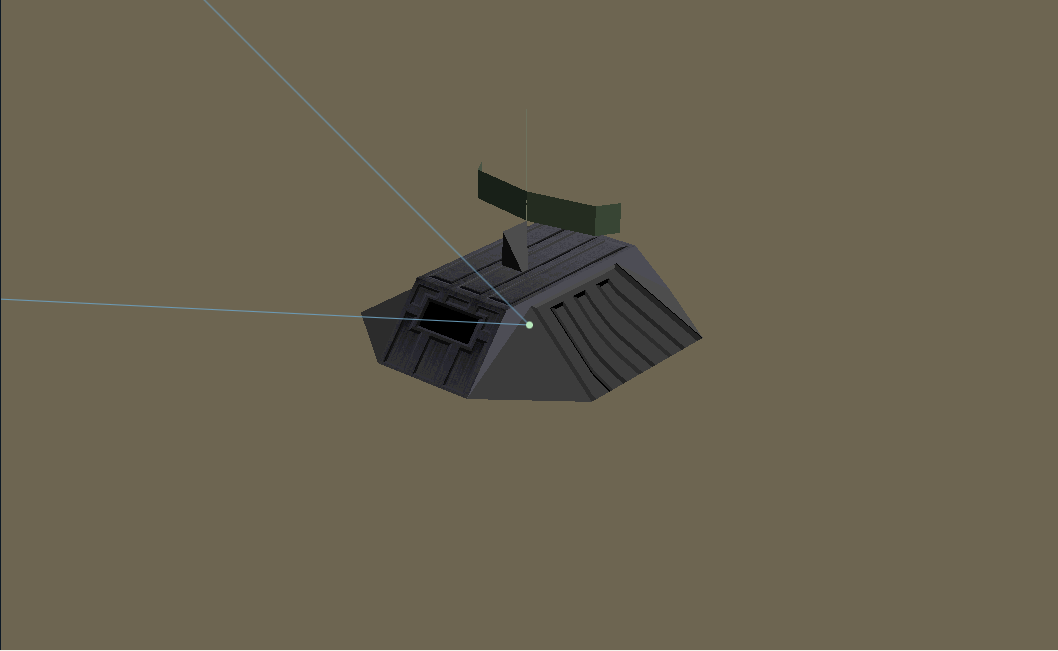
B0_C3_2A is a useful example. It sends you after enemy listening posts and radar towers. Those targets belong to a particular ground group, while the nearby generator belongs to another. The objective checks that group, so destroying a neighbouring building will not satisfy it.
Terrain colours are filled in during play too. Many surfaces refer to a placeholder material that the engine replaces with colours for the selected environment. Before we followed that step, the scenery all looked like the same beige hills. Urban scenery turns up in the C5 and C6 mission families as well as the conspicuously red C7 maps.
Visit the listening posts, or find the bent structures in urban variant 5.
A possible signature at the edge
Near the northern edge of the map used by B0_C1_61, scattered scenery forms a shape that looks remarkably like “Jö”. It is easier to read from above than from the cockpit. Was someone signing their work? We haven’t identified an author or found any explanation in the files.

Another leftover, SM_ESC50, has a distinctly strange briefing. It tests overlapping number ranges using placeholder phrases, and the game’s own text interpreter produces the same odd prose. It looks like a test mission for the briefing system. We couldn’t find it in the campaign or single-mission selection tables, but you can read it under retained missions in the atlas.
Look at the northern pattern →
What does “eggplant” unlock?
The executables contain a tempting command-line argument: -eggplant. It sounds like a secret password, but following the parser revealed an ordinary job. The launcher supplies it when starting the shell or simulator. Those programs also need the mission files prepared by the launcher, so typing the argument alone gets you very little.
-B1000000 has an equally practical purpose: it asks the movie player to preload a million bytes of video.
The simulation’s keyboard handler was more fruitful. Alt plus the arrow keys moves the player along its local axes, while Ctrl plus Left or Right changes heading. Alt+Ctrl+1 through 9 selects the movement step size. We verified these controls by running the original handler; they work without a separate cheat-enable flag.
We haven’t seen that step-size combination in the Earthsiege 1 cheat lists we checked. The controls notes give the details, along with the documented cheats and other keyboard handlers.
Listening through the right driver
Earthsiege’s usual FM sound setup combines synthesised notes with its own sampled percussion. Its HMI Sound Operating System routes parts of the score to different devices, so exporting a MIDI file and playing it through a soundfont loses some of the arrangement.
We ran the game’s scheduler and drivers to recover the note events, then rendered them with chip emulation. The value 120 in the music header specifies a timer frequency in hertz. Interpreting it as a MIDI tempo or tick resolution would give the wrong timing.
The MT-32 option brought a surprise. The installer offers it and includes a driver, but none of the twenty supplied music files assigns a melody to that device. Running the original driver confirmed the result: only the game's separate sampled percussion plays. That finding applies to the version 1.0 data we examined. The native reconstruction preserves this choice and also offers an experiment that sends the General MIDI parts to an emulated MT-32, where the different instrument numbers produce a different arrangement.
During a mission, the game chooses one of three pairs of scores. A threat can trigger the encounter version: the current piece fades out and stops before the other starts. The check for returning to the quieter music has a curious detail. A sufficiently distant living flyer can prevent the switch. That comparison is present in the original code, so the reconstruction keeps it.
Compare OPL2 and OPL3, and hear a patrol/encounter pair →
Asking the old program
Often several interpretations of a file could produce something plausible on screen. To choose between them, we run the relevant part of the original executable with known inputs and compare its output with our implementation. We use this for animation, mission generation, damage, audio and drawing.
The sky viewer shows the output of the original drawing routines directly. You can compare all 24 environment, time and visibility combinations, play a short cloud sequence, and lay out the four horizon sections as a complete panorama.
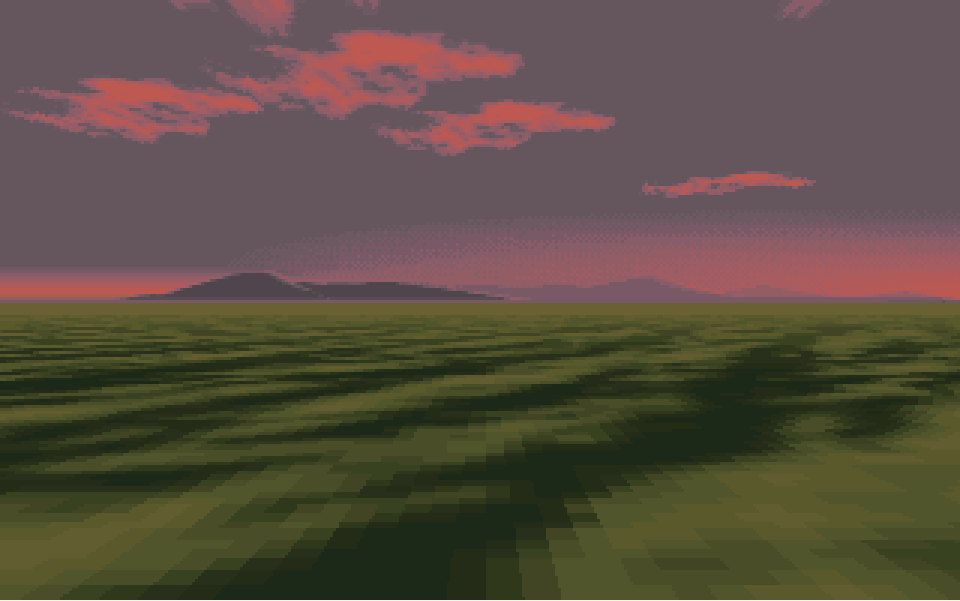
Recordings from the game let us check longer stretches of behaviour. Four recordings supplied more than nine thousand input packets and seven thousand states to compare. Of 120 sampled images, 114 matched exactly. The other six differed by 230 pixels in total, which led us to a bug in the original executable.
A radar/listening-post model could read outside its pose-matrix data, making its appearance depend on whatever happened to be in memory nearby. Changing a memory allocator header changed the pixels it drew. We fixed those invalid accesses in the reconstruction. The pixel-fidelity notes show the comparison and explain the repair.
Traces of the workshop
The executable also offers a few glimpses of development. Embedded .cpp paths name parts of the career system, recorder and simulation. Calls through virtual function tables confirm the use of C++. The model hierarchies belong to Dynamix’s 3Space-style resource system, and the audio layer identifies HMI’s Sound Operating System.
We haven’t established the compiler version. The DOS extender carries Doug Huffman’s name, while the separate movie player credits Jim Kent’s READFLIC example from the March 1993 Dr. Dobb’s Journal.
The reconstruction, Earthsiege C++, brings these findings together in a native game, with comparisons against the original to check its rules and software renderer. Here on the site, you can explore the machines, maps and artwork we recovered along the way.
For longer illustrated accounts, read the engine articles: graphics, damage, AI, mission construction, sound and the reconstruction process.