
Start with the discs
We came to Earthsiege 2 after taking apart the first Earthsiege. That gave us a useful head start: a reader for Dynamix's volume archives, an understanding of its 3Space models, and a collection of HERCs we already knew rather well. The sequel immediately offered something new to investigate. It was a Windows program, with a different terrain system, higher-resolution cockpit art and a flyable Razor.
Even choosing a reference copy needed some care. The disc mastered in September 1997 contains version 1.1. The December disc contains version 1.0. Sorting by date would have put us on the older code. We compared the files, kept distinct releases and demos, and used the English Windows 95 version of 1.1 for the reconstruction.
There is a Windows 3.1 edition too. It runs 32-bit code through Win32s and presents its image through WinG; the Windows 95 edition uses DirectDraw. Having both is useful. The same calculation can be checked in several builds, which helps distinguish an engine rule from an accident in one executable.
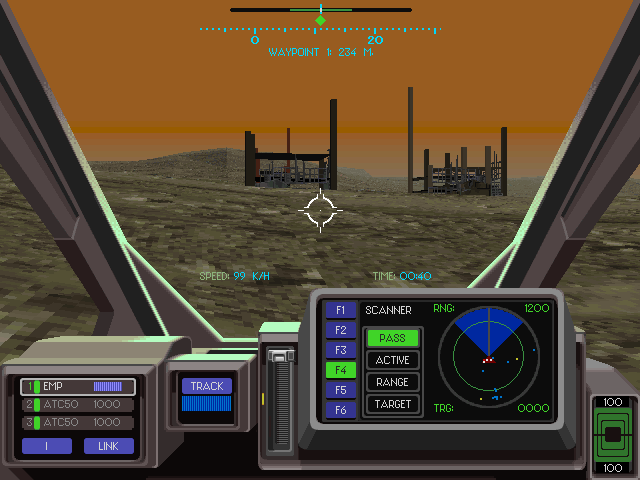
The executable still knows its class names
The simulator carries Borland C++ runtime metadata for 251 classes and four plain structs. Names such as MECH, ACTOR, ROCKET, HeightGrid and TSContext survive alongside inheritance records, object sizes and destruction lists. Custom templates survive too, including ObjPool<MECH> and ARRAY<GUN_STATE *>.
That is an unusually helpful starting point for a disassembly. A list of virtual functions becomes much easier to follow when its object has a name, a size and a place in an inheritance tree. Assertions also preserve source filenames: WORLD.CPP, rocket.cpp, mechsys.cpp, src32\GL_FONT.CPP. The discs contain no project files, but some of the source organisation is still visible.
One detail in the metadata needed correcting. The list of destructible members uses eight-byte entries; base-class entries use twelve. Treating them alike produces plausible-looking pointers until it wanders off into the next record. Following the links through all the supplied builds made the distinction clear.
The game itself is split into three processes. ES.EXE supervises the other two. VSHELL.EXE handles the career, briefings and equipment screens; DBSIM.EXE runs the battle. Between them sit ordinary files containing the compiled mission, squad and persistent mission variables. That division gave us a convenient place to capture a complete mission setup and feed it to the reconstruction.
The launch token is still the splendidly uninformative -eggplant. There is a trap for anyone typing it in capitals: -EGGPLANT enters the Spanish-language option instead. The simulator dispatches on the first character after the hyphen, and this parser is case-sensitive. The executable notes collect the working switches and developer keys, including freeze and single-step.
Familiar machines, down to the bytes
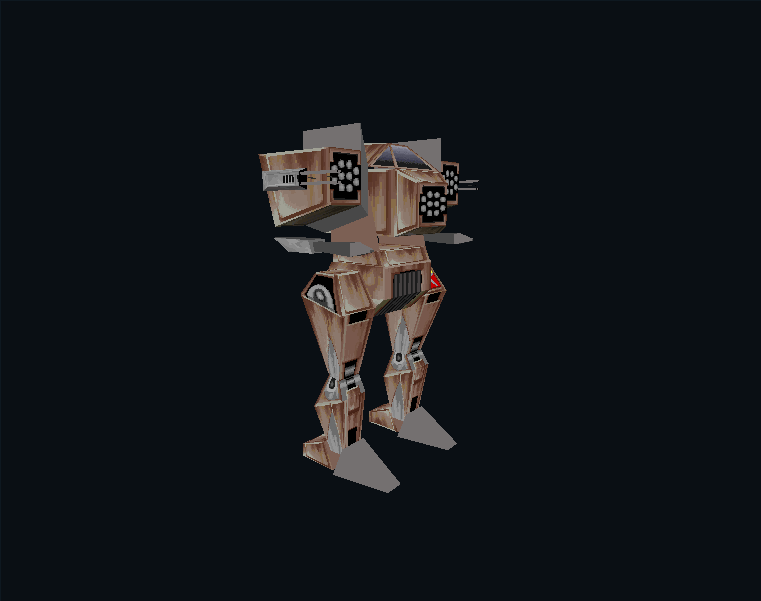
Some of the old HERCs arrived almost untouched. Nine of the 55 model libraries in the reference installation are byte-identical to files from ES1 or its expansion. Colossus, Mirimac and Arachnitron are among them. Stingray is the old SCORPION.DTS under a new filename. Mongoose changes just one byte in a 76,332-byte model.
The expansion is an important part of that history. Diablo, Headhunter and the FLAT2 ground-effect library match its files exactly. An unchanged model can still look different in the sequel because textures and palettes live separately.
Audio reuse is harder to find with file hashes. ES1 stores its pilot voices as raw 11,025 Hz samples. ES2 wraps them in WAV files at 22,050 Hz. In 123 of the 147 English pilot clips, every second ES2 sample reproduces the complete ES1 recording exactly. Another 22 differ at only one to four of those positions. Seven complete portrait banks also reproduce the earlier artwork after a consistent remapping of colour indices.
There is shared code underneath all this. Both games contain the same 56-word random-generator seed table, with the same update and bounded-draw rules. The overlap report lists the matches and the comparisons used to find them.
A model is more than its visible surface
A HERC model contains a hierarchy of parts, animation sequences, transitions and lower-detail versions. Weapons are attached separately at hardpoints. Damage can replace a cell of geometry, detach equipment or start an effect. Looking only at the rest pose misses a lot of the work in these files.
Our first useful tool was the model hangar. It keeps the original hierarchy and animation data, lets you change the equipment and shows the variants in building libraries individually. Select a walking or running sequence to see how the parts fit together. The transition controls expose another layer: a request can wait for an authored connection between sequences instead of jumping straight to the new pose.
This was also where the ES1 work paid off most directly. The basic model reader carried over unchanged. The sequel's animation, attachment and rendering consumers still needed checking against its own executable, but we could begin by looking at a recognisable machine rather than a page of undecoded numbers.
The battlefield is built at launch
The mission files are inputs to a compiler in the shell. It resolves conditions using campaign history and random state, then writes the tables the simulator will consume. Those tables describe actors, groups, routes, timers and objectives. A mission name alone is therefore not a complete description of a battle.
The mission atlas shows those compiled starting scenes. The opening patrol uses a capture from a newly registered pilot. Other choices include controlled chapter starts, later campaign situations and the exact setups bundled into the demo tapes. Changing the launch state can change what is there.
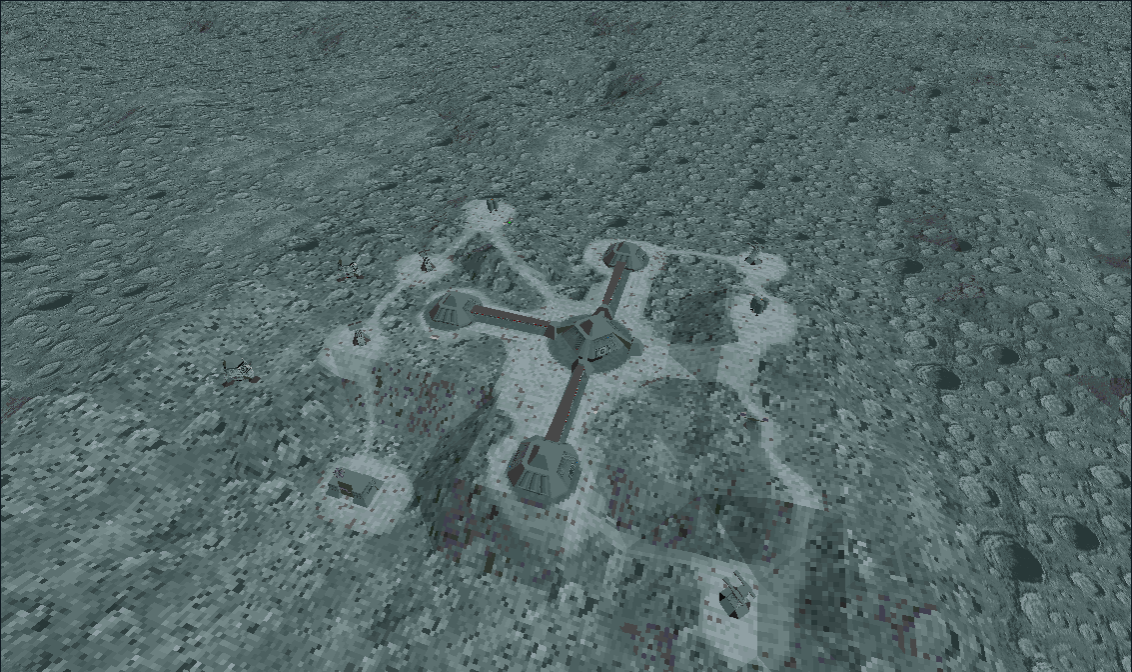
Terrain is another significant change from ES1. ES2 builds a height field, chooses triangle diagonals and materials, and prepares flat ground for base formations. Getting the buildings right involved following that placement and flattening code. A building dropped onto an unmodified height map can be in the right horizontal position and still be visibly wrong.
Reinforcements need care too. A waiting group can have a stored placeholder position until its deployment action runs. Drawing every record as an object already on the battlefield makes a misleading map. The atlas hides waiting groups by default and lets you reveal them explicitly.
The attract mode kept a little history
The three main-menu demonstrations are input recordings. Each tape bundles a mission setup and squad, then records steering, throttle, turret movement, trigger presses and queued interface events. Together they contain 7,060 input records.
Comparing the compiled mission tables identified the recordings as C2_05, C3_10 and C5_02. Their setups preserve differences from the shipped mission sources, including equipment and an older group value. Meanwhile, all three contain the same stale source filename in restore.dat. Trusting that filename would have identified three different battles as the same mission.
The recordings were useful tests, but they also exposed why playback could diverge. Some preferences still come from the live installation. Modal panels consume records without advancing the battle. And one rocket path reads memory that was never initialised with a proper animation timer: pointer-derived values become timer data. The reconstruction uses a defined value there, with the departure recorded alongside the comparison.
You can inspect the three input tapes and jump from each to its recorded starting scene. The input graph shows where the pilot steered and fired, and where the closing panel kept consuming records after the flight was over.
Palette tricks and absent clouds
The Windows renderer still works in palette indices. A shaded texture pixel goes through a lookup table to become another index; distance fade selects another slice of that table. The colour relationships are authored, so fading every RGB value towards a fog colour does not reproduce the same image.
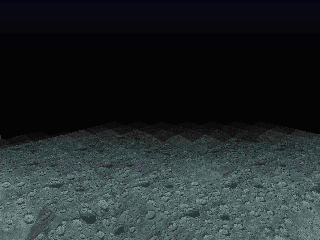
The sky has a particularly visible resolution quirk. Its colour bands are six pixels tall in both 320 × 240 and 640 × 480. Switching to the higher resolution halves their relative height on screen. The sky and colour viewer lets you try both, tilt the horizon and follow a texture through its distance-fade tables.
Every world file names clouds2. That sounds promising until you follow the loader: it reads the name into a buffer which the next resource name overwrites. The ordinary sky path draws flat colour bands. A separate bitmap-strip routine survives, but we have not found a caller. This is why the viewer has a banded sky rather than the animated clouds that the filename might suggest.
The cockpit gallery shows another economical use of the palette. Each chassis inserts its own colour scheme into a reserved range of the world palette. There are separate low- and high-resolution bitmaps, and a mixed mode that doubles the low-resolution art. The left and right glances share one image, mirrored for the left side.
Checking the reconstruction
Once the data and its consumers were understood, we built a C++26 implementation. Small harnesses execute original routines with explicit inputs and compare the results: transforms, clipping, texture mapping, weapon decisions, movement, damage and campaign rules. Full-process tests run the original game under Wine and capture its state as a mission advances.
This catches mistakes that are difficult to see in ordinary play. An avoidance timer read a step too early can change a steering decision much later. A different random draw can alter the next effect or weapon request. A screenshot helps with the renderer; a sequence of actor states tells us where the simulation first went wrong.
The longer battles found a mistake in our Arachnitron explosions. The original blast excludes the Arachnitron itself, then destroys its remaining components in order. We had let the blast hit its owner first. That changed the debris and the random-number sequence, so later events diverged too. Following the original calls put the final lunar mission back in agreement through the player's death.
The retained comparisons now cover 165,525 mission-state snapshots and 223 complete cockpit images with identical palette entries and pixel indices. Six consecutive campaign battles carry their actual outcomes through the original debrief and save code, including a failed mission, recovery, the loaned Razor, a rescue and a return with the objective unfinished. The latest verification notes explain these cases and the turning-animation and cockpit errors they exposed. More campaign branches and equipment combinations remain to be exercised.
The result is a working reconstruction with a body of repeatable comparisons behind it. The viewers here came out of that work. They are also a pleasant way to spend a few minutes with the artists' models, the cockpit panels and the battlefields, without having a Cybrid shoot at you while you look.